Product overview
Your files live in many places. Work with them in one.
Tyrix brings local folders, remote servers, archives, encrypted vaults, media files, documents, and developer workflows into a single, fast dual-pane workspace, with built-in previews, background operations, powerful batch tools, and keyboard-first control. Available for macOS, Windows, and Linux.
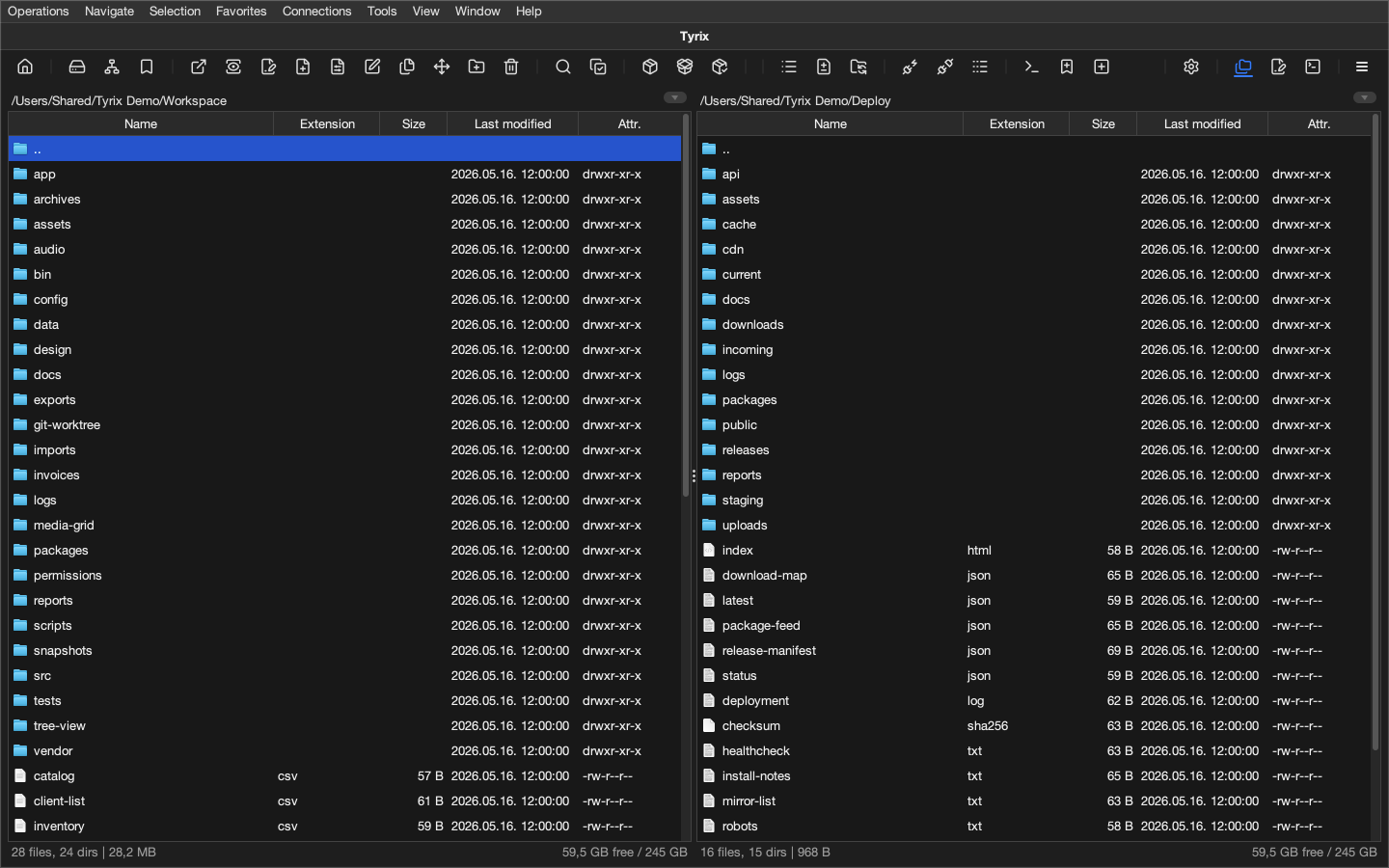
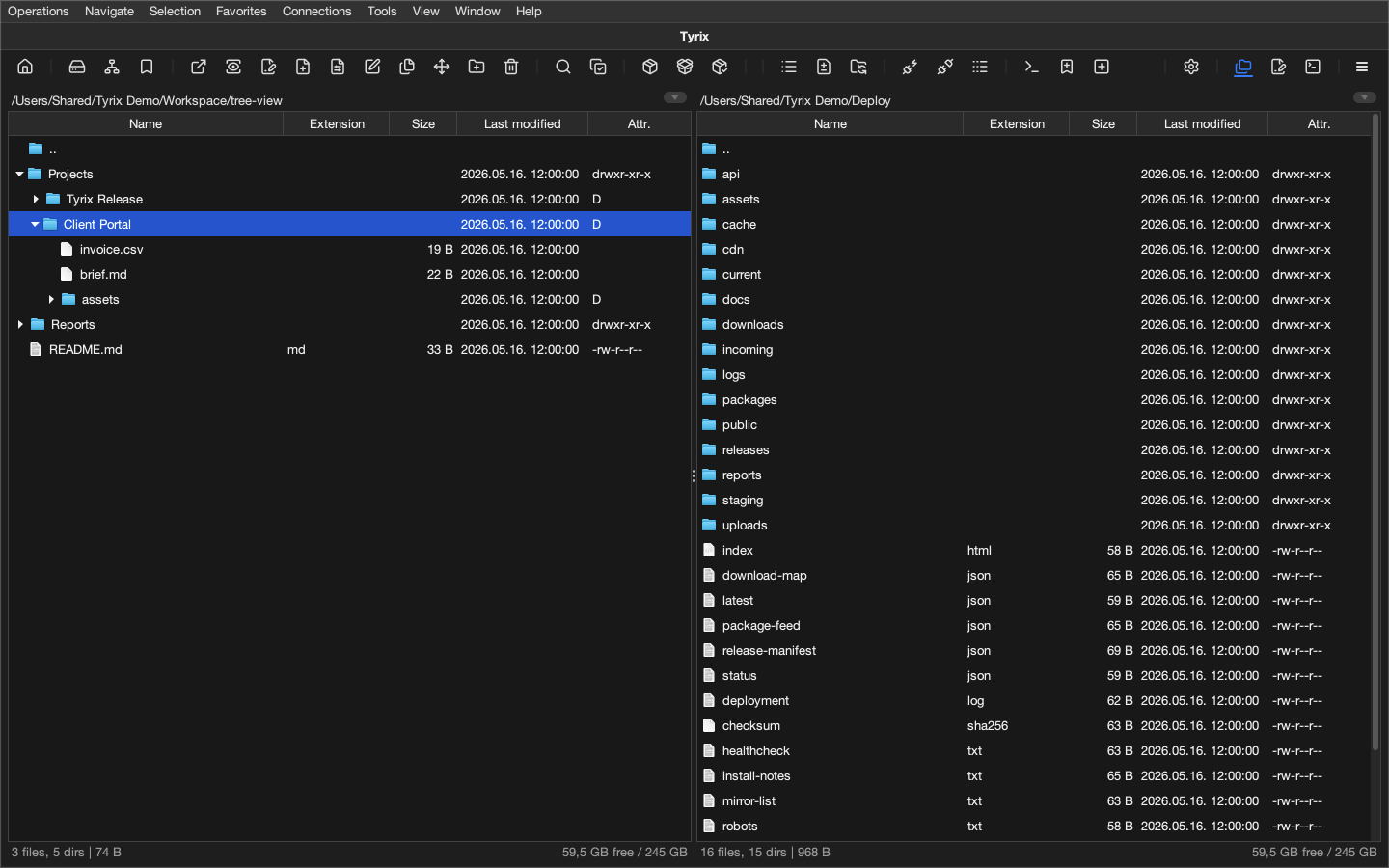
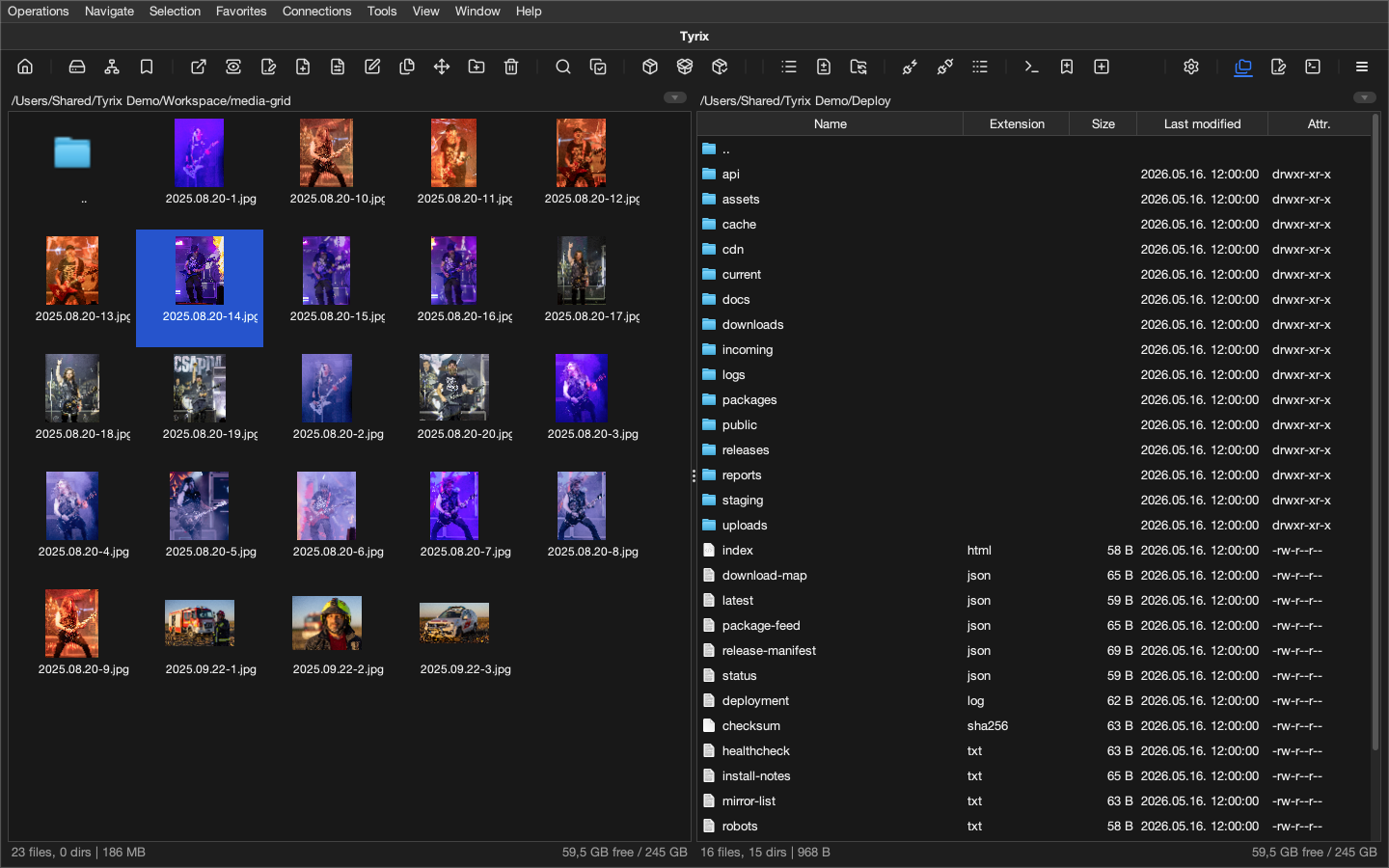
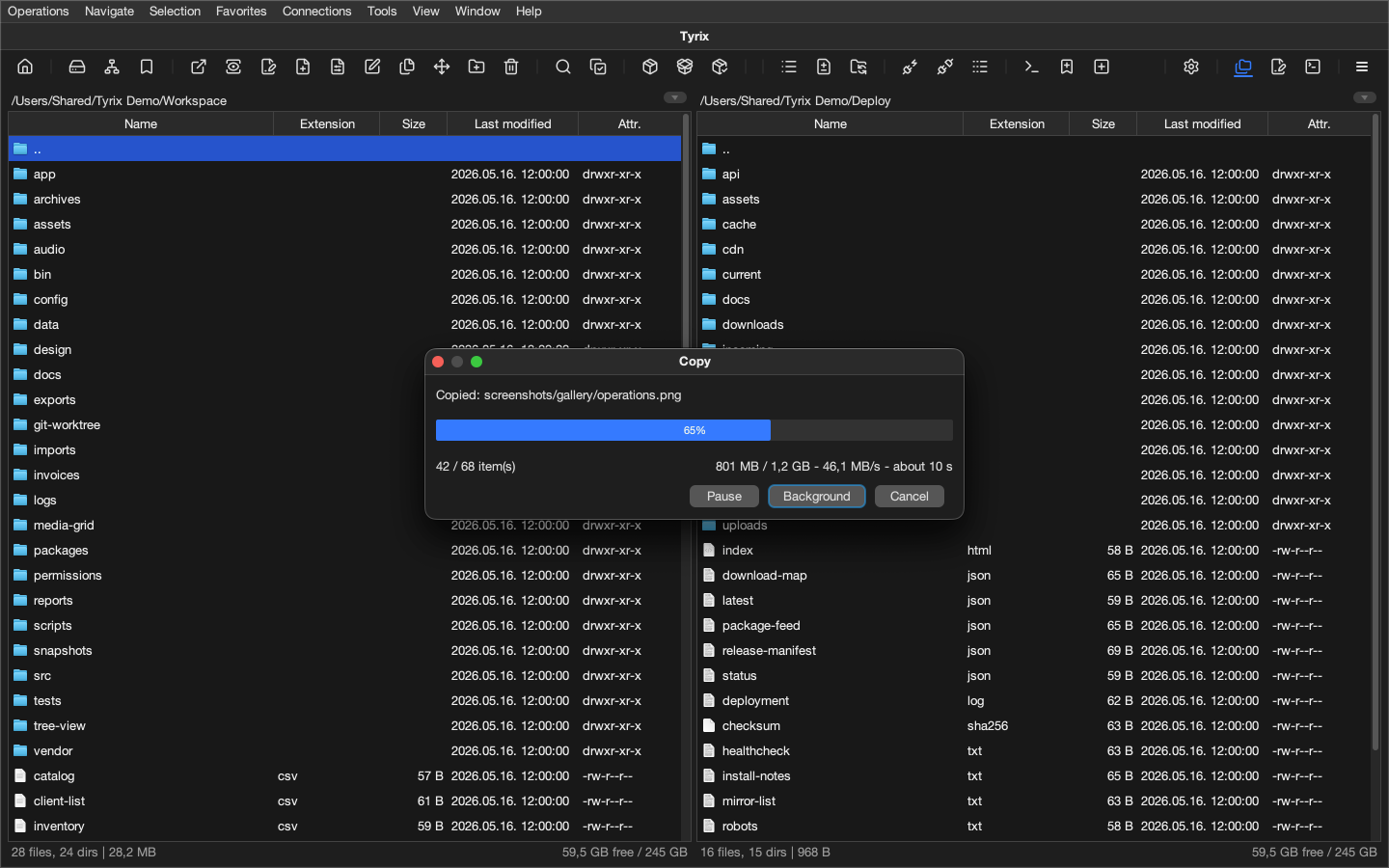
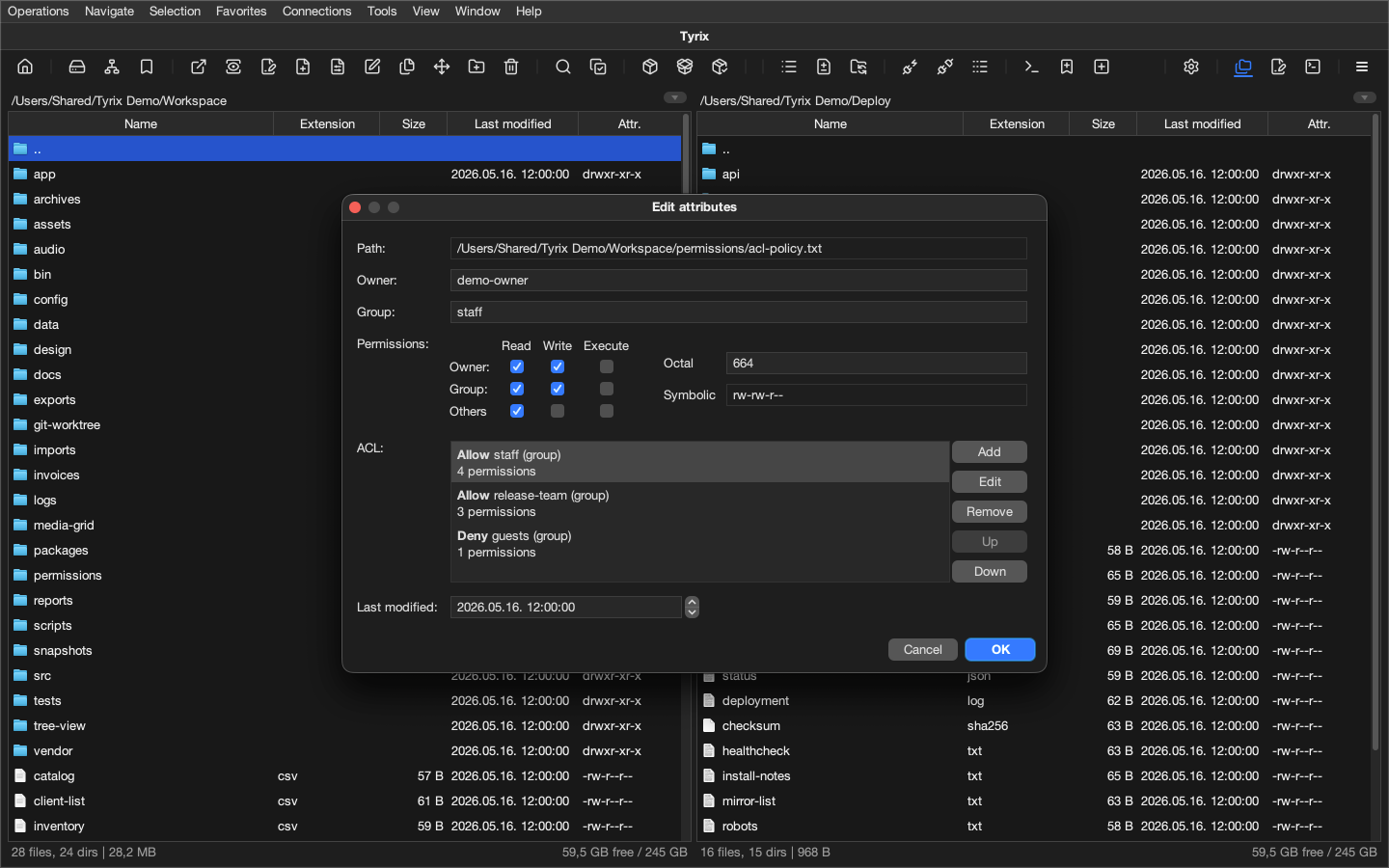
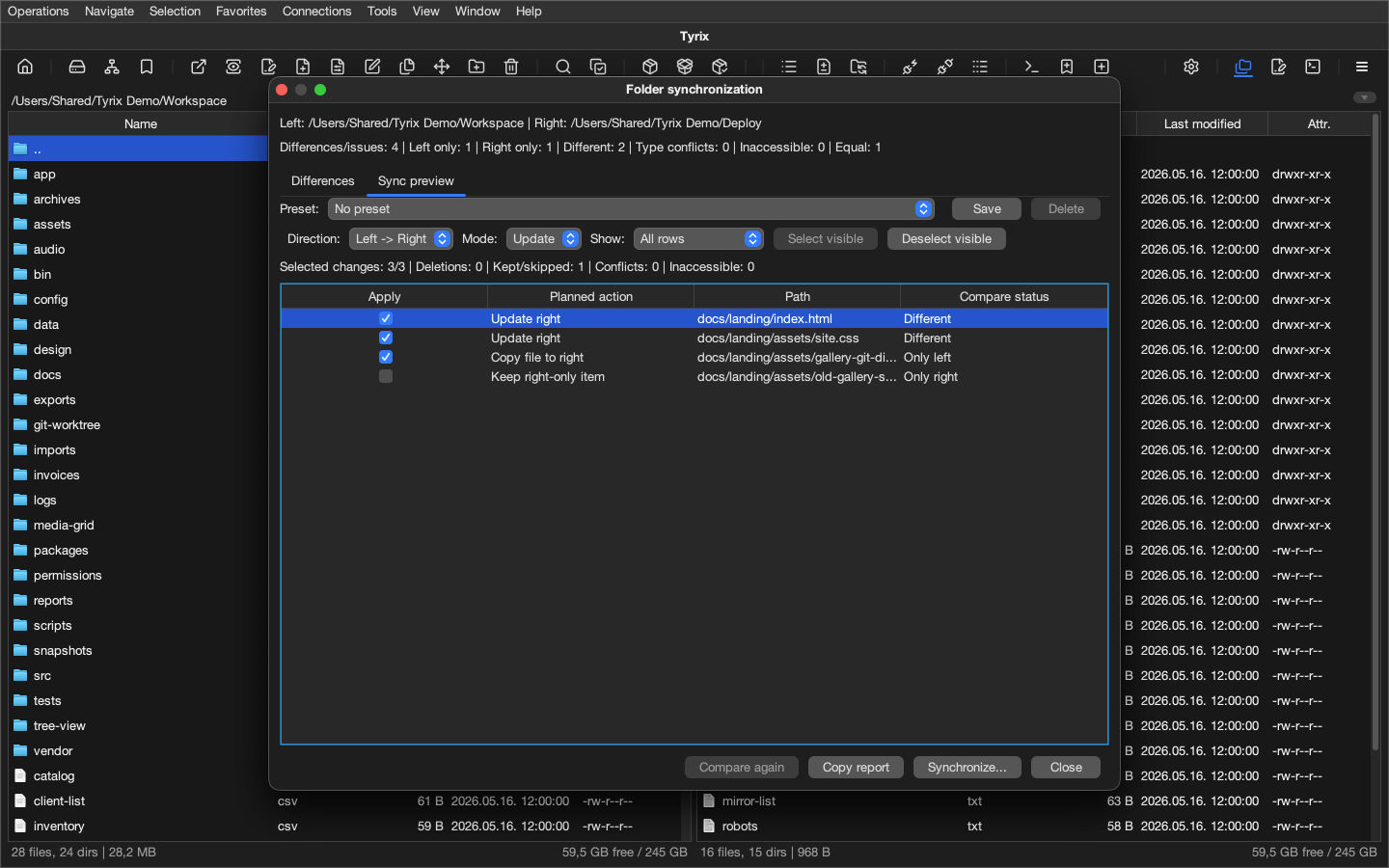
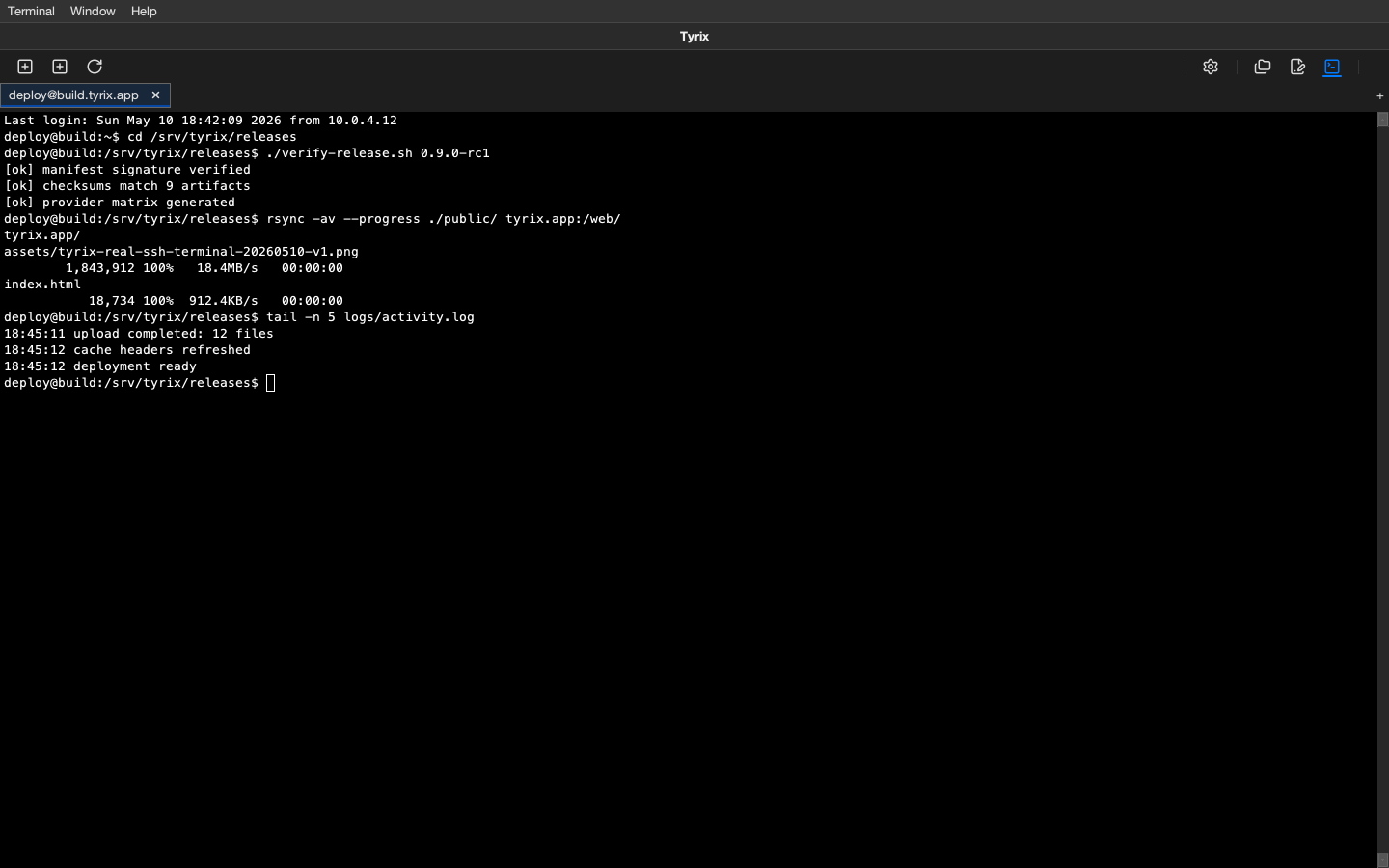
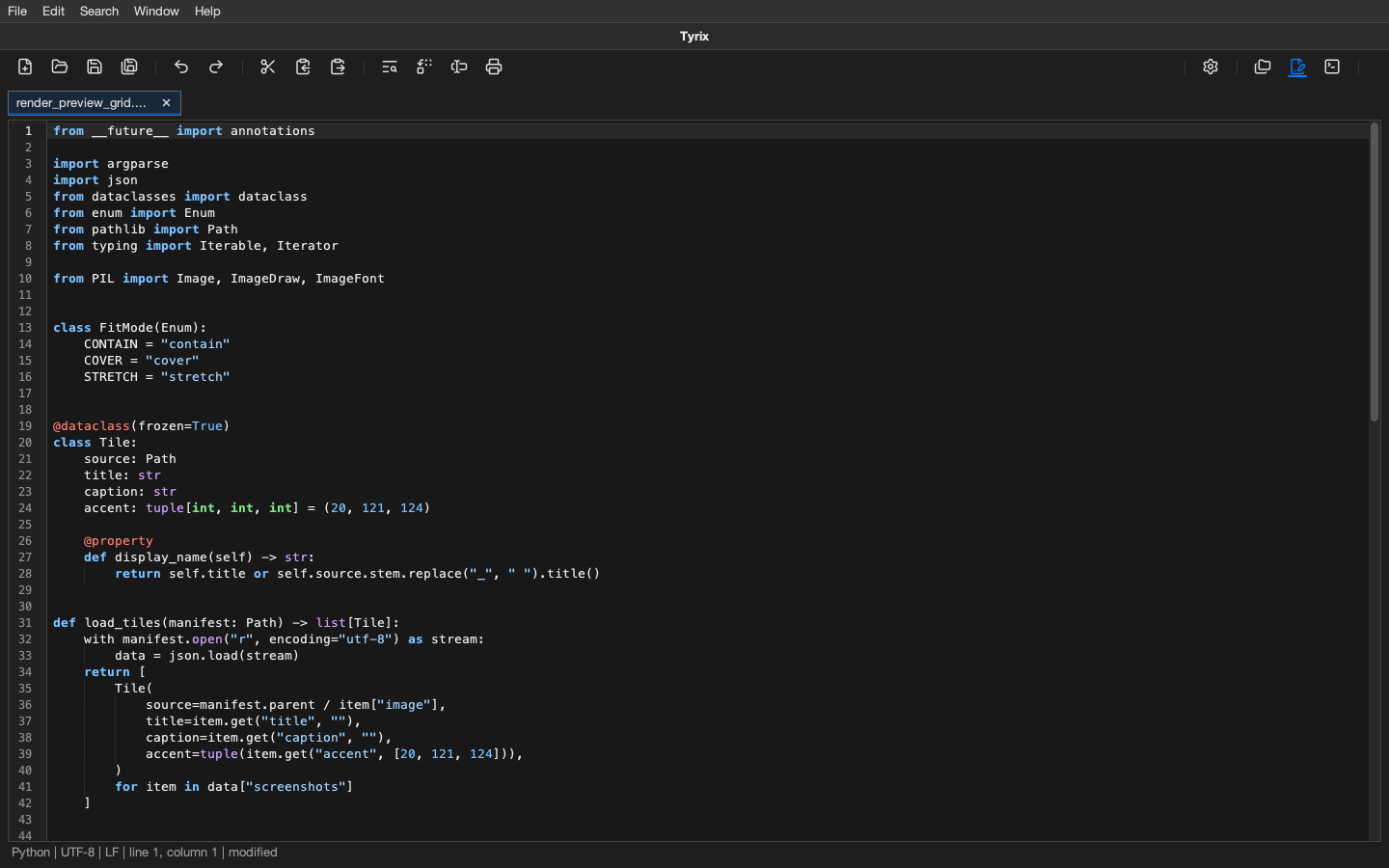
Capability overview
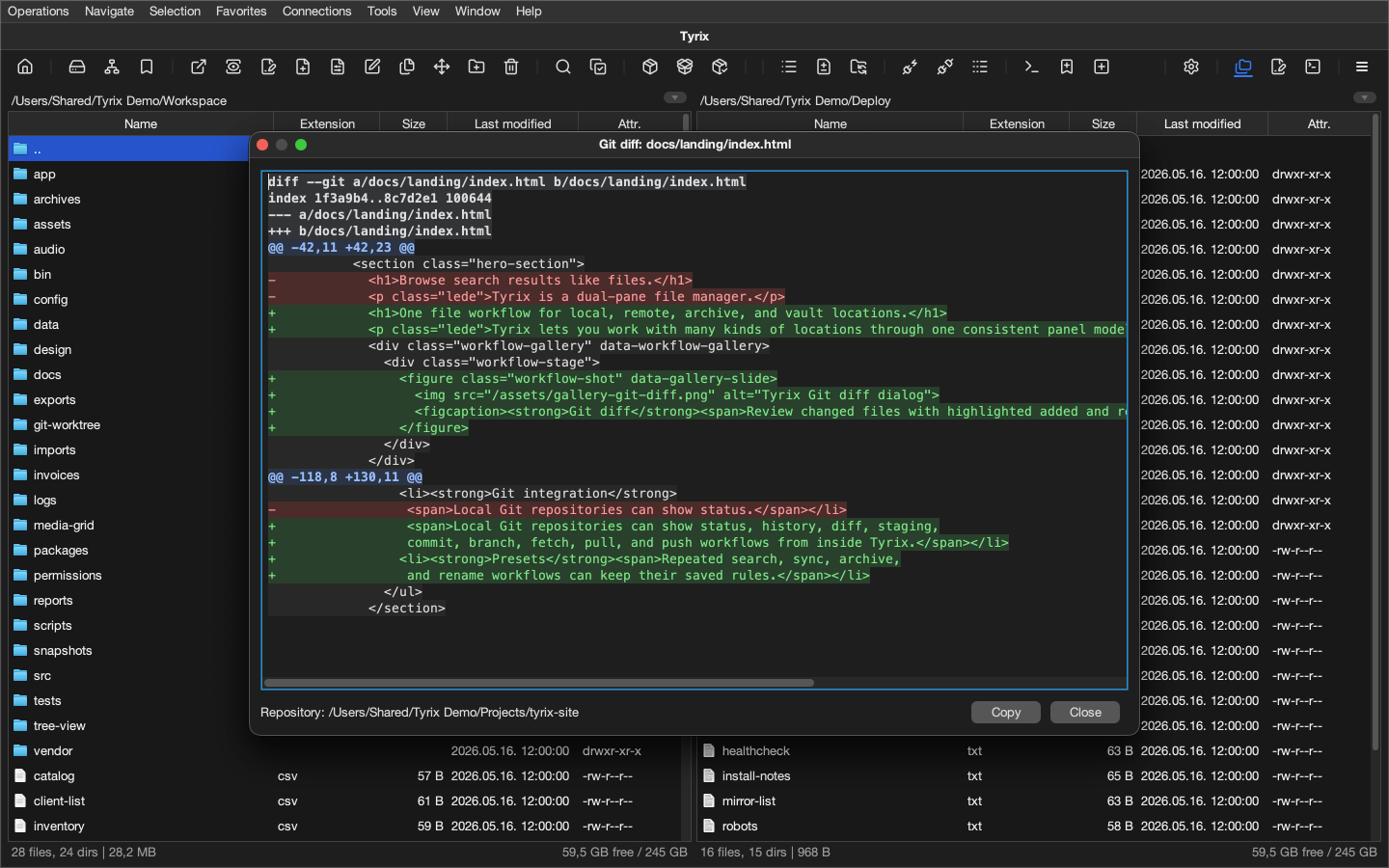
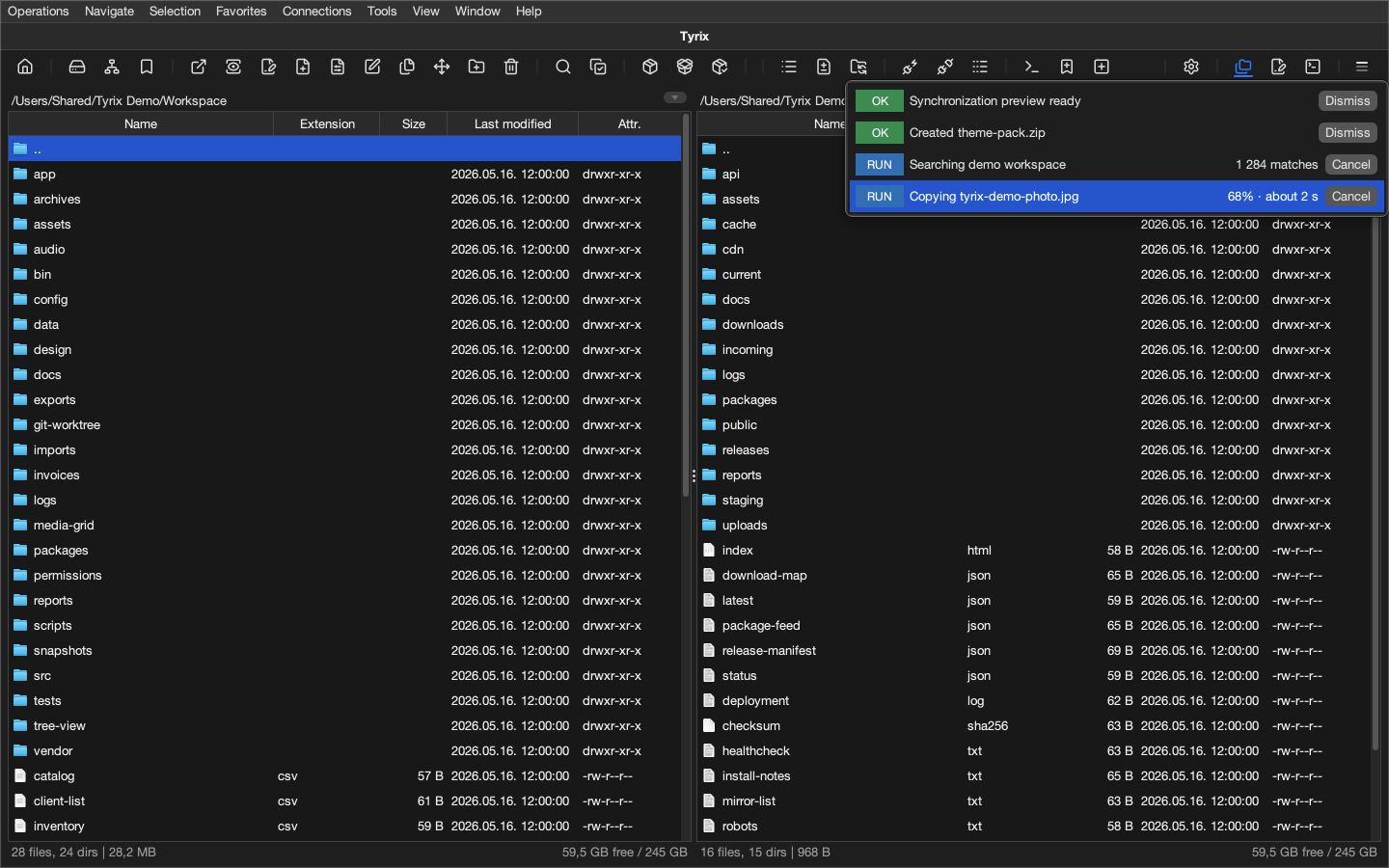
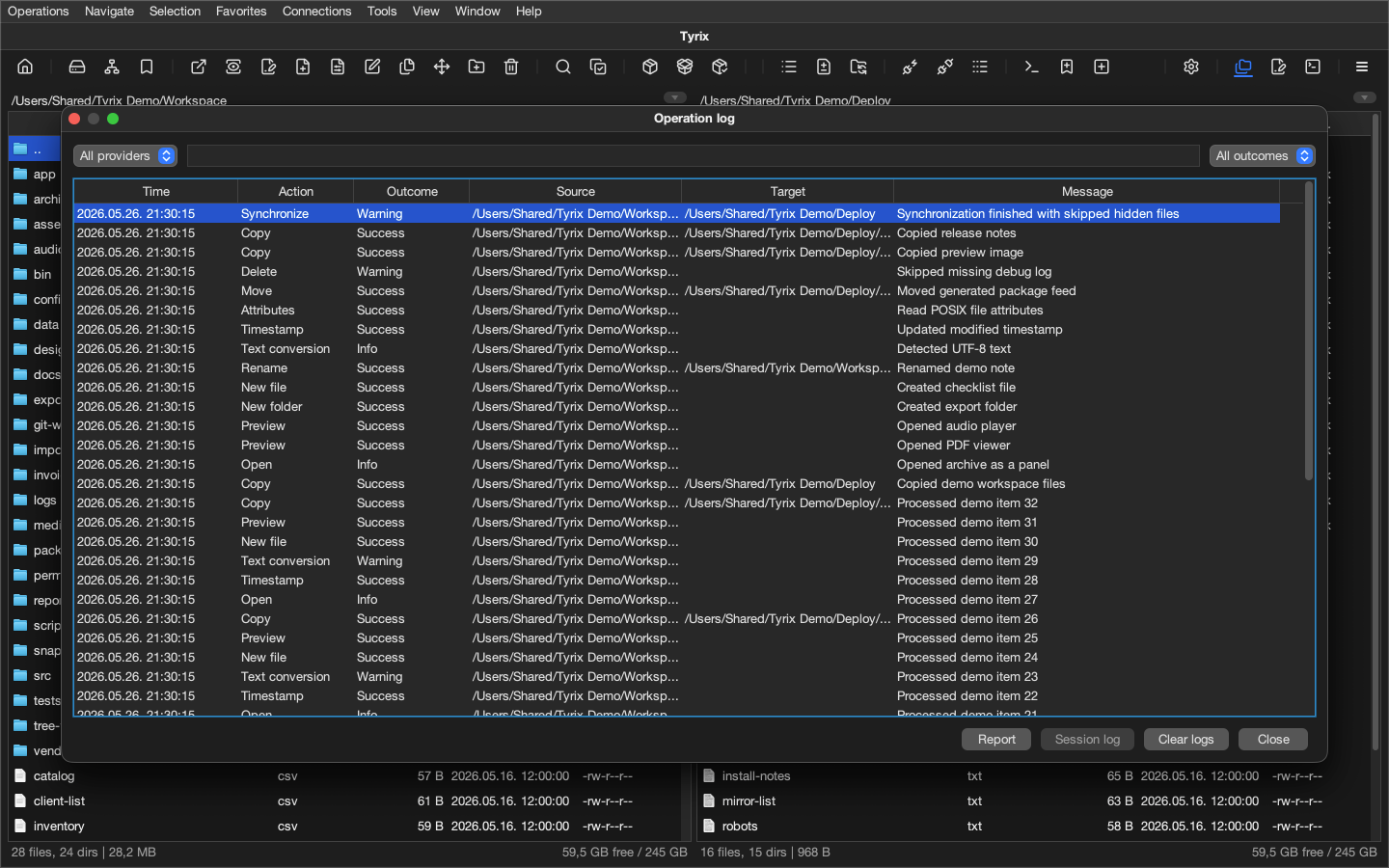
Tyrix keeps different storage types, inspection tools, printable reports, and long-running operations inside one consistent desktop workflow.
Locations
- Unified locationsLocal folders, remote connections, archives, vaults, trash, search results, and internal containers are handled through the same panel model, so different location types can be navigated and operated on in a similar way.
- Remote providersFTP, FTPS, SFTP, SMB, WebDAV, and S3-compatible storage can become panel locations, with saved accounts where secure credential storage is available. Multi-file FTP/FTPS transfers and deletes reuse operation sessions where possible, and SFTP reuses operation sessions for uploads, managed deletes, and managed attribute reads or updates.
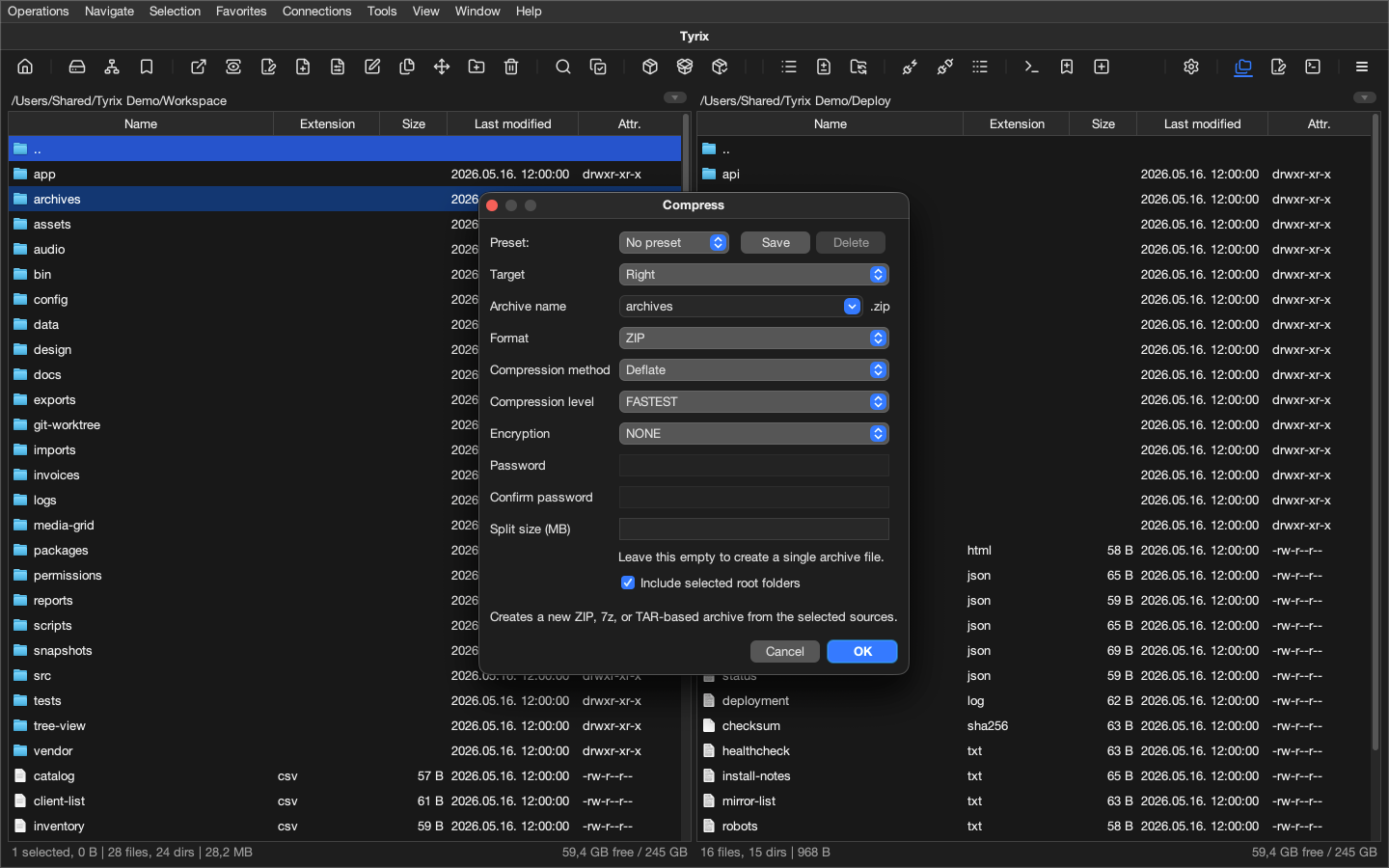
- Archives and packagesZIP, JAR, WAR, EAR, APK, 7z, TAR, GZIP, BZIP2, XZ, CPIO, RAR, DEB, RPM, ISO, DMG, CAB, XAR, PKG, and related formats can be opened, inspected, searched, extracted, and used in everyday file workflows.
- VaultsTxVault is Tyrix’s encrypted, crash-safe copy-on-write container format for protecting files and metadata inside a vault. File data and metadata are encrypted and authenticated with XChaCha20-Poly1305, passwords are hardened with Argon2id, keys are derived with HKDF-SHA-256, and the master key is wrapped with AES-GCM. The copy-on-write design helps preserve vault consistency across crashes or interrupted writes. With a strong password, it provides strong protection against offline password attacks and tampering, while Super Secure mode require a password and a keyfile.
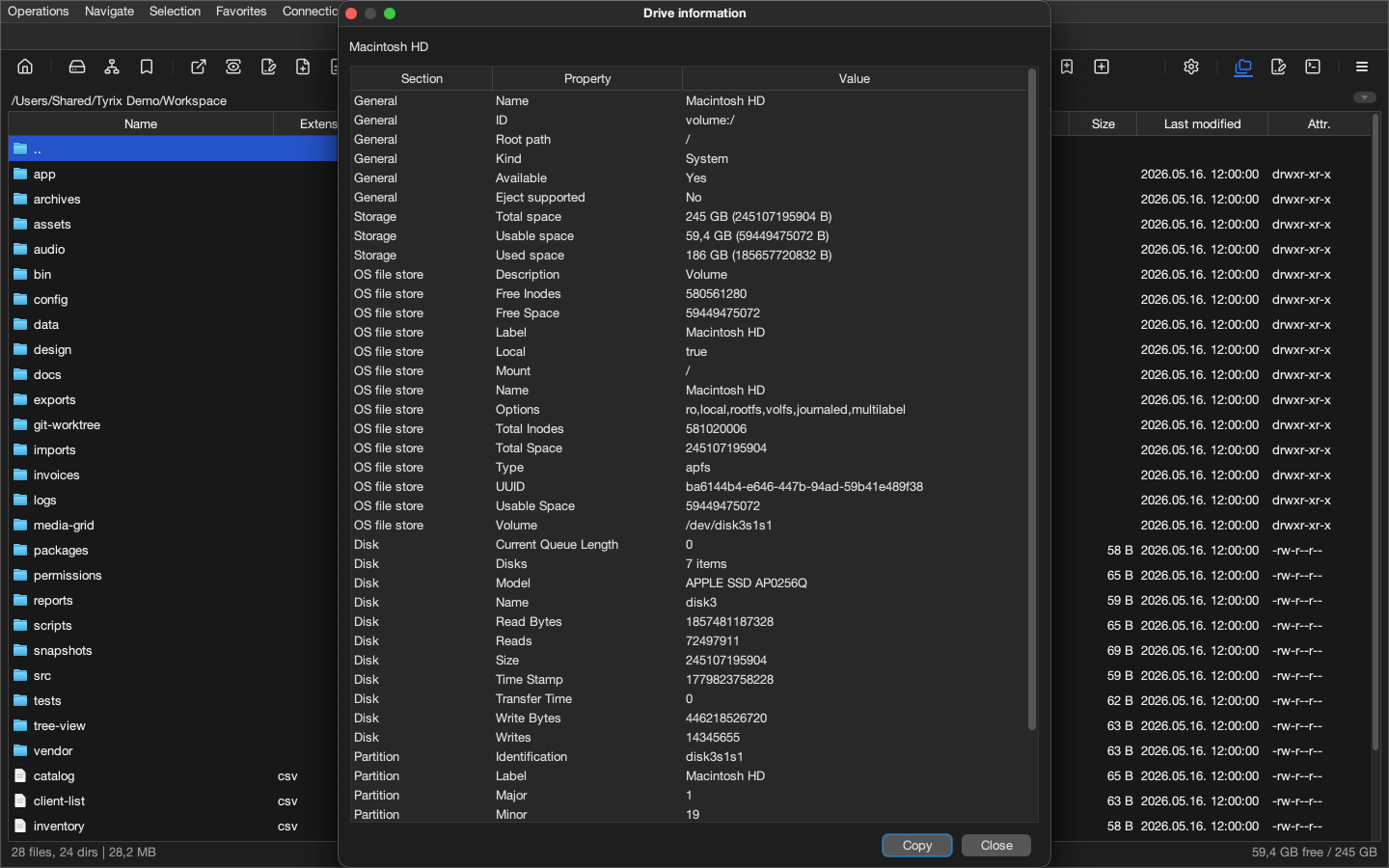
- Places and drivesFavorites, common desktop locations shown directly in the Navigation menu, mounted network shares, saved network locations, Windows UNC paths where available, a Home toolbar command, drive details, and safe eject are available from panel-oriented navigation tools.
Workflows
- Dual-pane operationsSource and target remain visible during copy, move, compare, synchronize, extract, cleanup, preview, and review work, which keeps repeated file operations grounded in the current context.
- Panel viewsEach file-panel tab can use detailed, simple list, multi-column, tree table, or icon grid views.
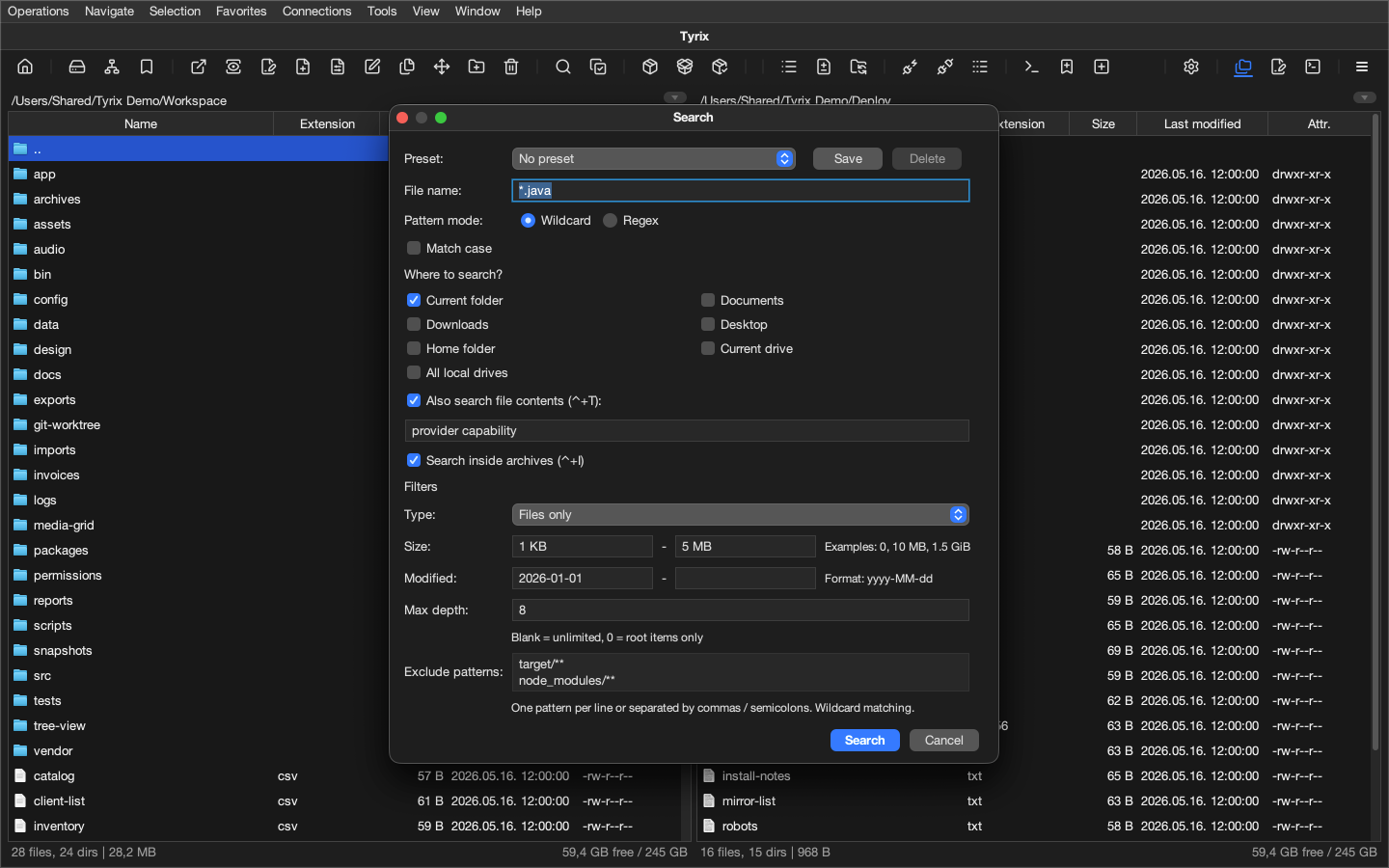
- SearchSearch can use wildcard or regex filename matching, scope choices, content matching where supported, archive search, and result panels that remain useful for opening, previewing, copying, or inspecting matches.
- SynchronizationFolder comparison and synchronization help review differences, filters, selected changes, and sync previews before changes are made across local folders, remote locations, and provider-backed workspaces.
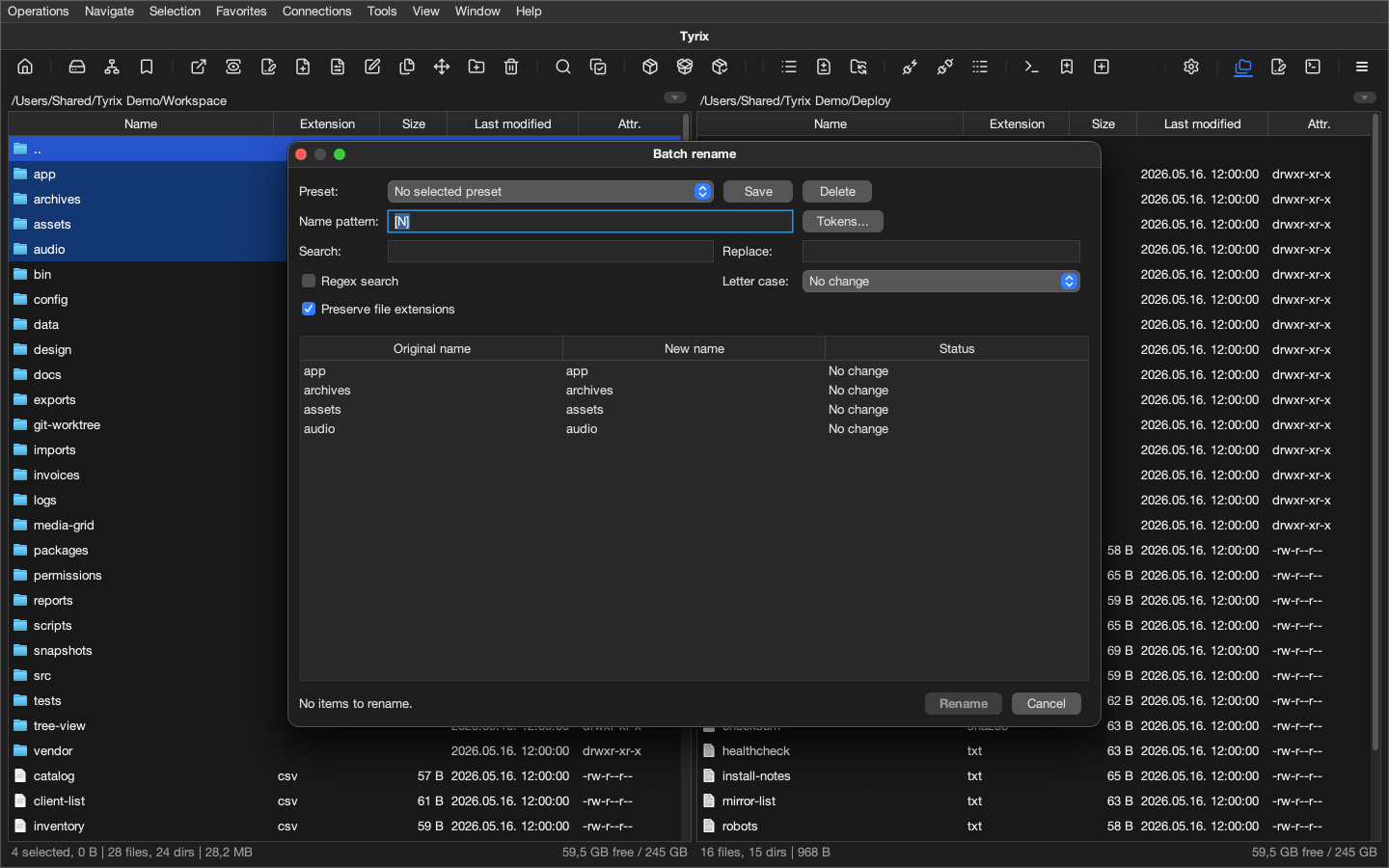
- PresetsSearch, synchronization, archive creation, and batch rename workflows can be saved as presets, so repeated tasks keep their filters, rules, modes, naming patterns, and compression choices.
- Operation sequencesTyrix operations can be saved as ordered sequences and run again from the menu or context menu, with preview, progress, cancel, and operation log.
- Batch rename and cleanupBatch rename, filename normalization, filename portability audits, duplicate search, and structured cleanup tools make larger file sets manageable without editing items one by one.
- Conversion and checksumsICU-backed charset detection feeds Text encoding conversion, line-ending conversion, checksum generation, and checksum verification for file maintenance work that needs repeatable checks.
Workspaces and integration
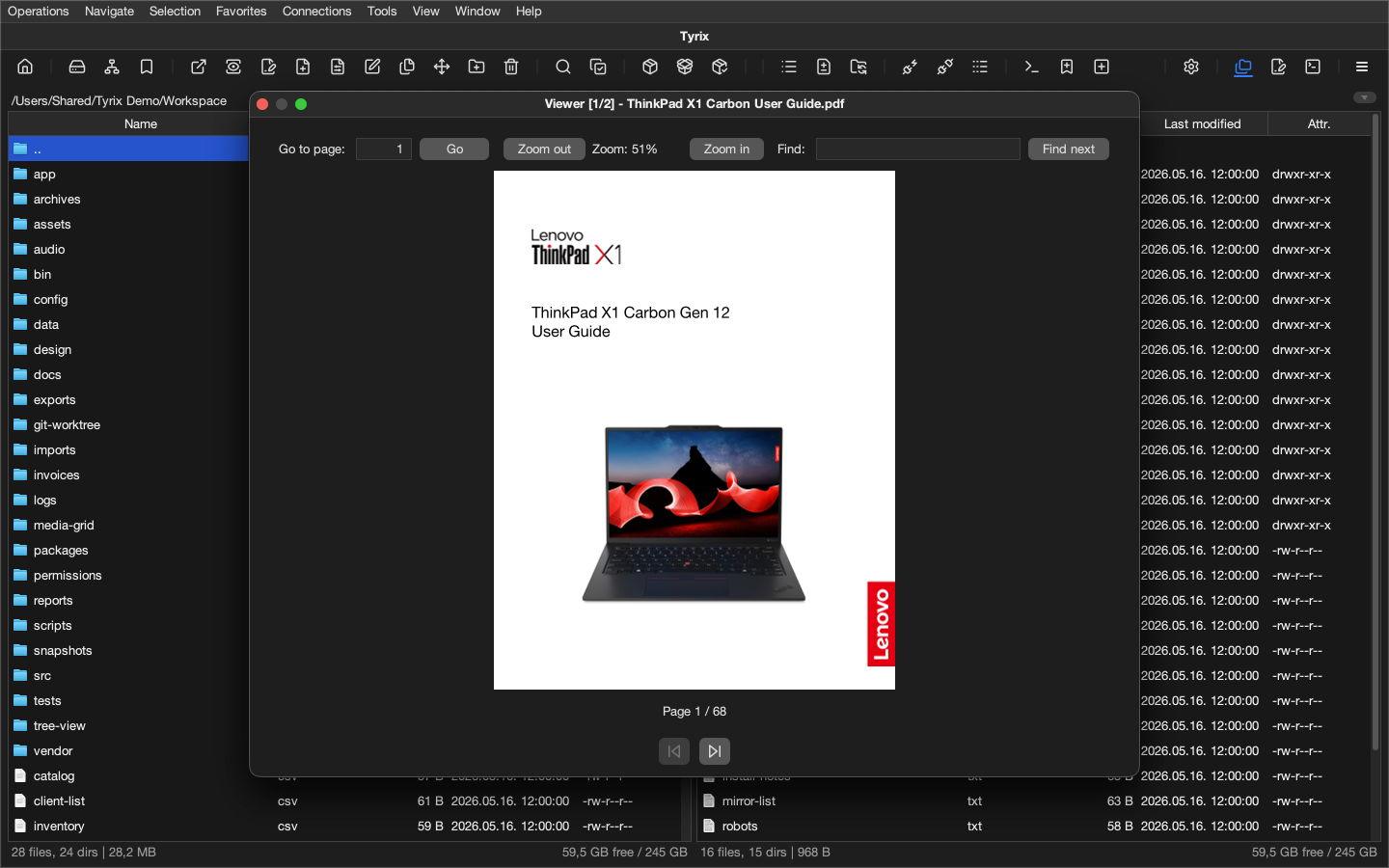
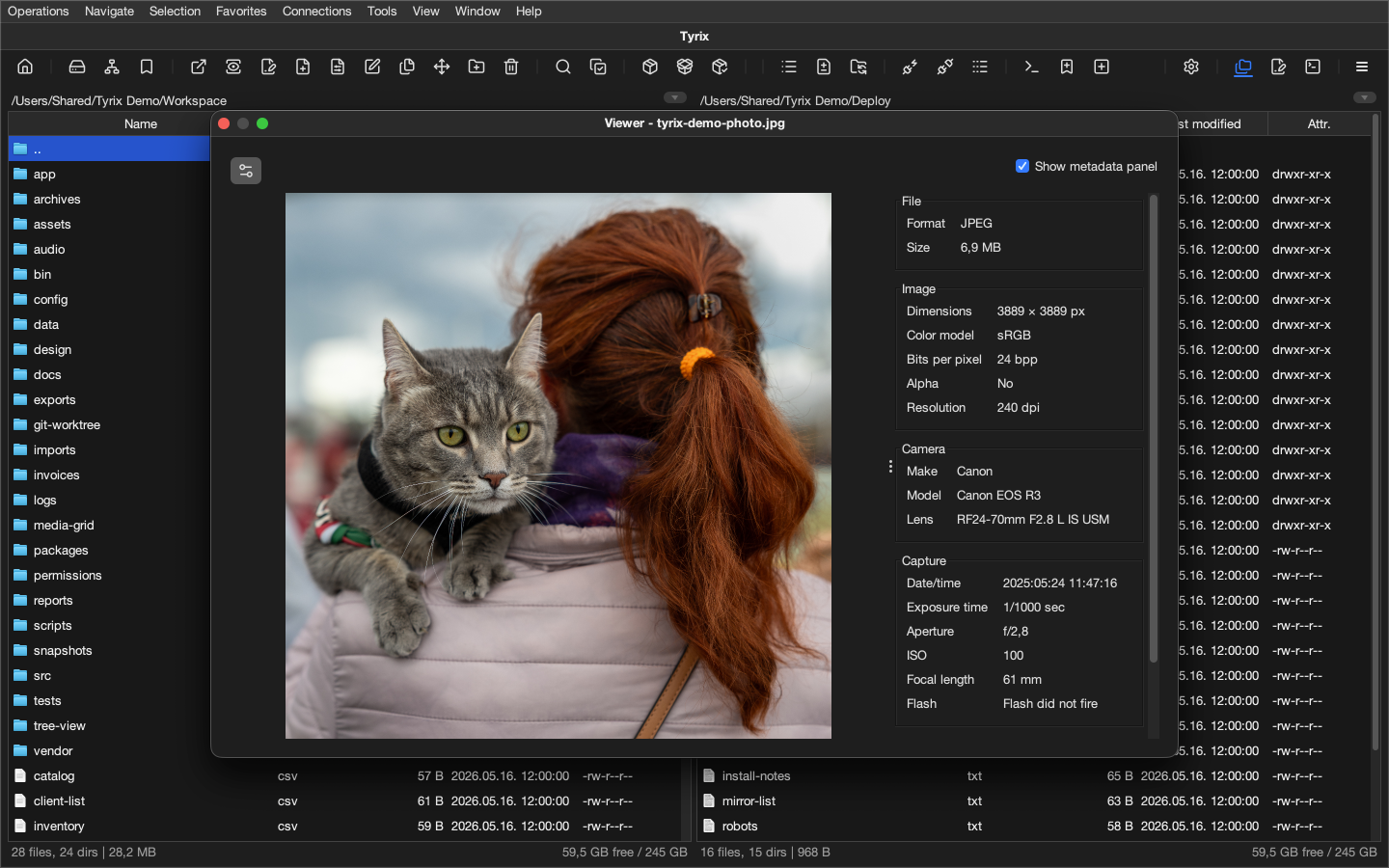
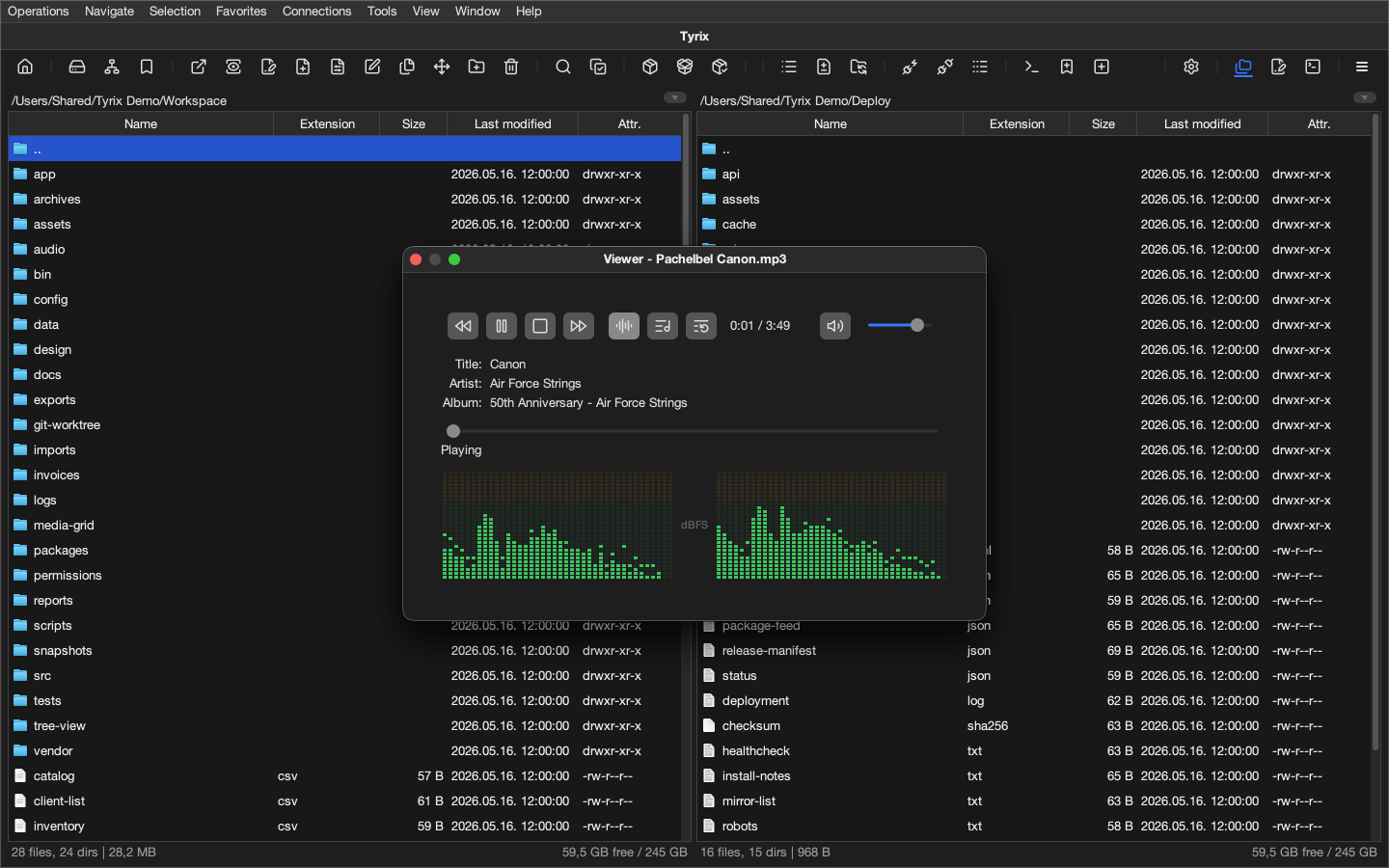
- Preview and editingQuick View includes syntax-highlighted read-only text/code preview for supported source, script, markup, and configuration files, built-in audio, MIDI, and tracker module players, plus dedicated viewers for images, PDF, fonts, Markdown, CSV/TSV, JSON/XML/YAML, SQLite, directories, and hex data. The MIDI player covers .mid and .midi files, while the IBXM-based tracker module player covers .mod, .xm, and .s3m files with automatic playback, transport controls, seek, configurable global play/pause, previous/next track, and player-volume shortcuts, and persistent viewer volume. Font preview covers sample text, glyphs, and metadata. The image viewer covers common desktop formats together with WebP, ICO/CUR, ICNS, PCX/DCX, PNM-family images, PSD/PSB, TGA, and stronger TIFF handling; supported PNG, JPEG, BMP, and TIFF files can switch into image adjustment mode for rotate, flip, resize, crop, grayscale, brightness, contrast, saturation, zoom, undo/redo, Save As, and confirmed overwrite. The built-in editor preserves charset and line endings and shares the expanded language registry for SVG/XML-family documents, JSX, JSON variants, Python stubs, Fish scripts, ActionScript, assembly, LaTeX, Lisp, SAS, and related formats.
- TerminalsLocal terminal sessions and saved SSH terminal accounts provide tabbed PTY workspaces alongside file panels, including terminal-here workflows for the current location.
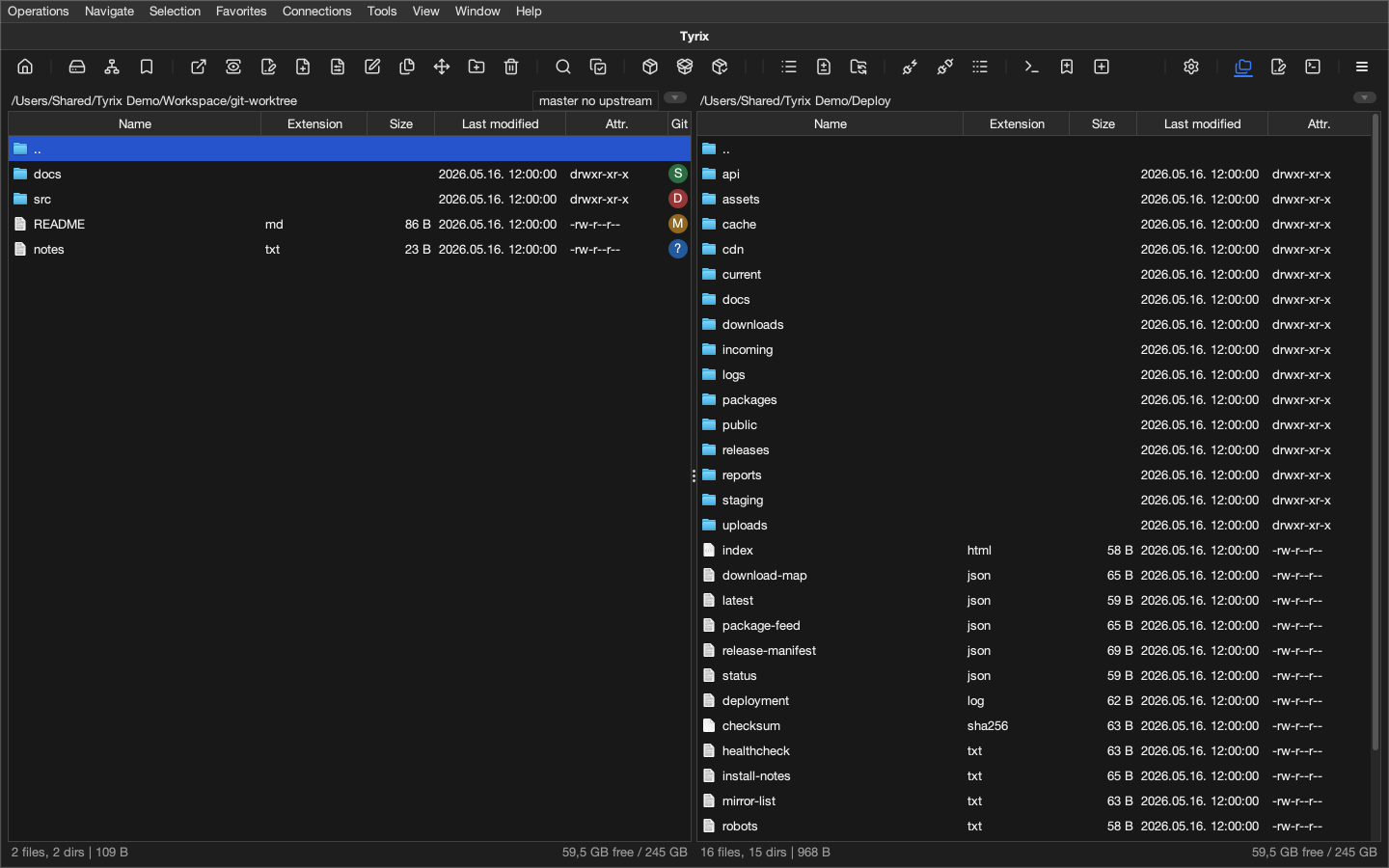
- Git integrationLocal Git repositories can show status in file panels and provide history, diff, stage, commit, branch, fetch, pull, and push workflows from inside Tyrix.
- Desktop integrationClipboard handling, drag and drop, external open, and associated applications connect Tyrix with normal desktop file handling.
- External OperationsConfigured external programs can be started from Tyrix with arguments, placeholders, selection conditions, command preview, menu placement, shortcuts, and optional Activity Center execution.
Control and customization
- Background activityLong-running operations, searches, and supported players can continue in the background while Activity Center keeps progress, active work, and recent activity visible.
- Operation historyOperation logs and reports record completed work, warnings, failures, skipped items, and retryable cases for workflows where the result needs to be checked later.
- PrintingPrint follows the active context, with internal preview and page setup for file panels, editor documents, built-in viewers, operation reports, Git views, compare results, and registered table or report dialogs.
- Tabs and navigationPanel tabs keep their own history, sort state, and view mode, while editable paths, quick filters, favorites, direct system places, Home navigation, and location history keep movement fast.
- CustomizationSettings split general application choices from visual appearance. Appearance covers light/dark mode, custom `.tyrixtheme` import and export, colors, fonts, UI sizing, chrome, toolbar, tab strips, file panels, viewers, terminal, and editor styling, while other settings cover panel behavior, columns, toolbar command sets, viewer and editor behavior, shortcuts, saved connections, integrations, terminal behavior, operation sequences, and profile import or export.
- Trial and licensingTyrix starts with a 14-day full-feature trial. After the trial expires, Tyrix remains usable for local file management. Advanced features will require an active license.